A company knowledge hub
Give your team and AI workers a shared source of product information, policies, and expertise. Spend less time repeating answers.
 Explore the program ↗
Take home a working, downloadable AI Business Twin: your company knowledge, website or app, and connected AI workers. Learn to reduce repetitive work, choose cost-effective tools, and control monthly AI spending.
BUILD MY AI BUSINESS SYSTEM ↗Live online · Beginner-friendly · LIMITED SEATS
Swipe to explore
YOUR BUSINESS, CONNECTED
Turn the knowledge inside your company into a useful foundation for the people and AI workers helping it grow.

Products. Processes. Expertise. Brand voice.
Prospect research, approved outreach, and follow-ups.
Content, campaign planning, and creative support.
Company knowledge for employees and customers.
An example of the system you learn to build. Workflows depend on the tools, accounts, and permissions connected.
SIX CONCRETE DELIVERABLES
Give your team and AI workers a shared source of product information, policies, and expertise. Spend less time repeating answers.
Give customers a clear next step and your team a place to access useful company information.
Set priorities, assign work, and review outputs through a coordinating AI role.
Put repeatable sales, marketing, and support tasks into workflows with clear instructions, handoffs, and approvals.
Learn to set permissions, protect company information, and keep human approvals in the workflow.
Learn which tasks need a more capable model, where a lower-cost option is suitable, and how to set and monitor a monthly usage budget.
THE DIFFERENCE THAT AFFECTS YOUR BUDGET
A course price is only the first bill. If a provider shows impressive AI output without explaining subscriptions, usage charges, and hosting, you are missing part of the price. Nansen makes cost control part of learning to build your system.
Working infrastructureA demo can leave scheduling, data storage, integrations, and failure handling unfinished.
Build a connected AI Business Twin with practical workflows, clear handoffs, and human approvals.
AI training guidelinesUploading documents alone leaves questions about accuracy, boundaries, and how work should be reviewed.
Learn to organize company knowledge, define worker roles, provide examples, test responses, and refine instructions.
Cost transparencyYou know the enrollment price, but still have to work out which subscriptions, usage charges, and hosting costs come next.
Cost-cutting is part of the build.Learn to select suitable models, reduce repeated processing, review tool overlap, and monitor recurring costs. Know which expenses continue after the course.
CybersecurityIf access rules, sensitive data, and connected accounts are left out, critical business questions remain unanswered.
Learn to set permissions, protect company information, and establish approval boundaries for AI workers.
Download and exportCheck exactly what can leave the teaching platform and what depends on its subscriptions.
Receive a downloadable, exportable AI Business Twin, functional for the workflows configured and tested during your build.
These are gaps to check for, not claims about every competing course. Compare each provider’s actual deliverables and cost disclosures.
PROTECT YOUR MARKETING BUDGET
Video, voice, revisions, software, and distribution all belong in the same budget. Learn to account for the complete running cost, choose tools around your needs, and review spending before increasing output.
Model choice, requests, document processing, and repeated work.
Generation credits, video minutes, revisions, and export limits.
Email, scheduling, automation, and any paid integrations.
Your website or app, storage, monitoring, and maintenance.
Course enrollment and operating expenses are separate. Required services depend on your build. Request the current tuition, included services, and expected recurring expenses before enrolling.
What Nansen teaches you to do: start with tools you already pay for where suitable, choose a suitable model for each job, reduce duplicated work, identify overlapping tools, set a monthly ceiling, and review usage before increasing output. Actual savings depend on your starting costs and implementation.
YOUR TAKEAWAY
A fully functional, downloadable, exportable AI Business Twin. Your company knowledge, configured AI roles, and connected workflows, with guidance on training, managing, and improving the system.
Company knowledge, AI role instructions, and the workflows agreed and tested during the program.
Confirm the exact files, export format, supported hosting, and third-party dependencies for your build before enrolling.
Hosting, connected accounts, AI usage, and any required licenses remain part of your operating budget.
Fully functional means the agreed workflows have been configured and tested with the required services connected. Exported systems still need compatible hosting, connected accounts, credentials, and any required software licenses. Downloading your Twin does not make third-party AI services free or offline.
Ask about your business build ↗Credit / debit card · Apple Pay where available
Course payment to PrismaTechAI. View the total at checkout; Nansen confirms your class place separately.
GIVE YOUR AI A JOB. GIVE IT BOUNDARIES.
Learn how to guide AI workers before you give them access to business information or customer-facing tasks.
Organize company information, set responsibilities, and provide examples. Test answers against your actual policies.
Learn to separate customer-facing information from internal material and set appropriate access permissions.
Define which tasks can proceed, which need review, and when an AI worker should hand the issue to a person.
Learn to inspect outputs and usage, spot errors, and refine the workflow before increasing its workload.
Before go-live, review the data used, who can access it, connected-account permissions, approval rules, and test results. The exact controls depend on your tools and scope. Security requires ongoing maintenance; independent security audits and compliance certification are separate services unless expressly included.
PICTURE ONE WORKFLOW IN YOUR BUSINESS
An example of how company knowledge, AI workers, and human judgment can work together.
A customer asks about your product through a connected channel.
The worker uses approved product details and your instructions to prepare an answer.
A routine answer follows the configured workflow. An exception goes to a person for review.
The customer can buy, book, or request a quote through your website or app.
Illustrative workflow, not a live product demonstration. Channels and actions depend on the integrations selected and tested during your build.
Discuss a workflow for my business ↗SIX WEEKS. YOUR BUSINESS.
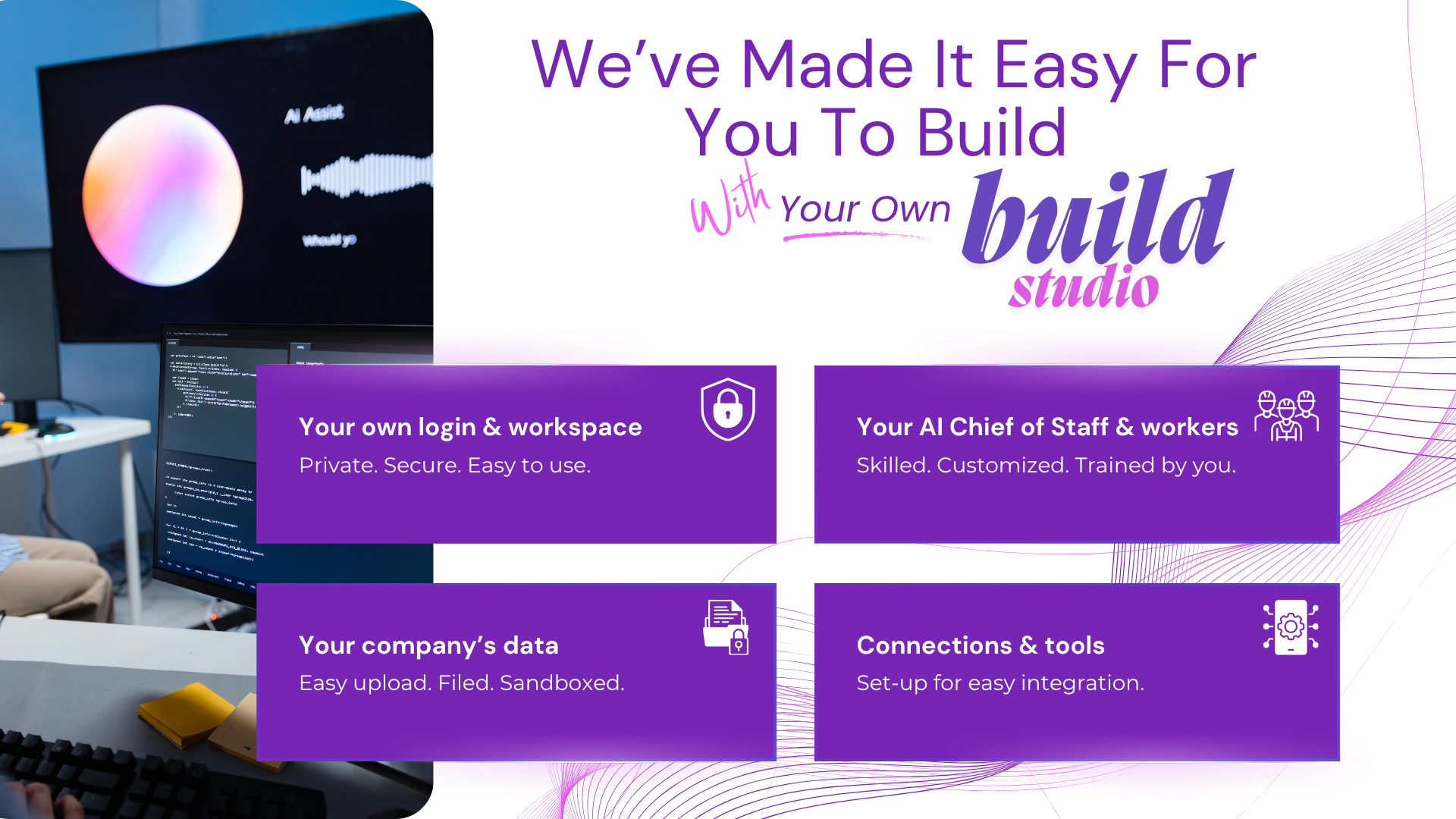
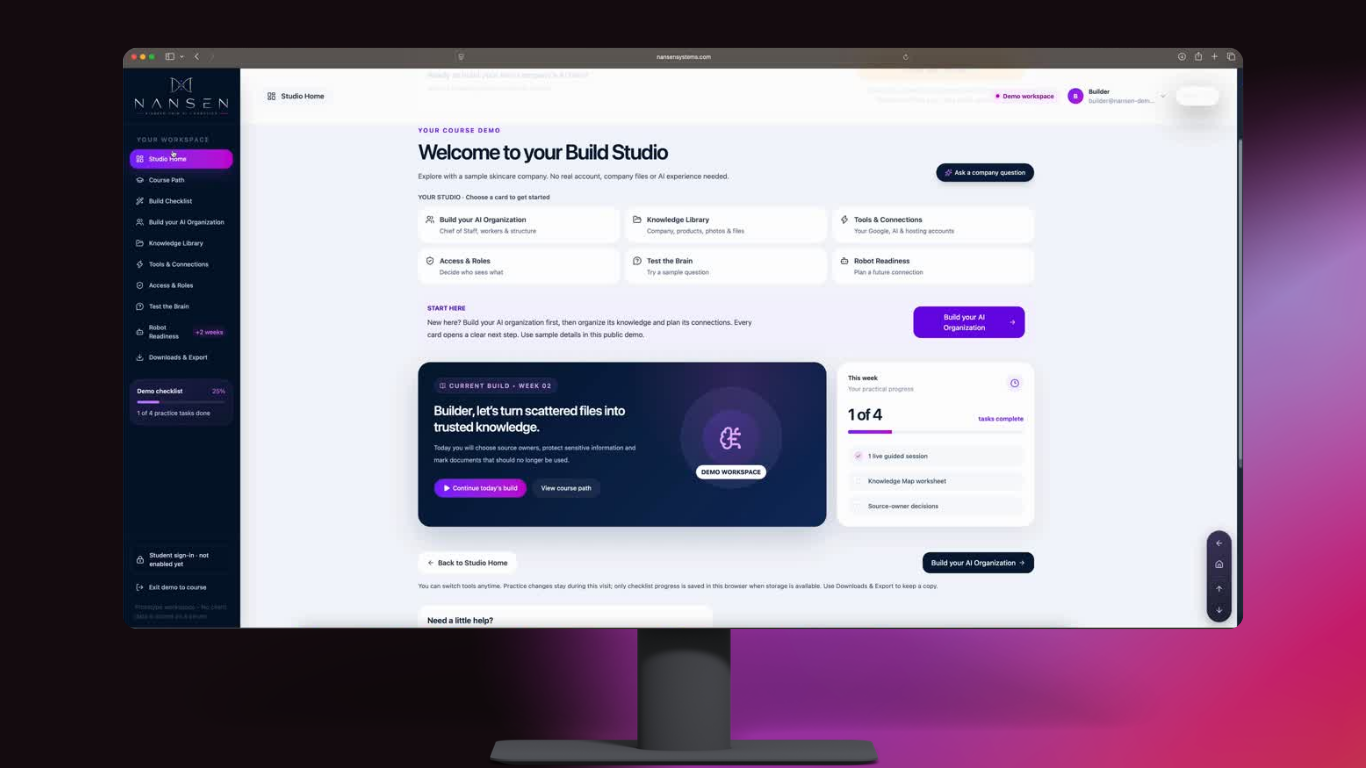
A hands-on online Build Studio for business owners who want guidance from the first setup to practical use.
Ask about the next batch ↗Clarify your goals, organize your knowledge, and shape your AI Twin.
Build your website or app, define worker roles, and connect selected workflows.
Review results, improve instructions, and learn to manage permissions and costs.
BEFORE YOU JOIN
Plan for live sessions plus time to prepare company information, practice, and test workflows between sessions. Ask for the current timetable and expected weekly workload before committing; the effort depends on your build.
Start with one useful workflow and a small set of current, approved documents. The foundation stage includes organizing that knowledge and identifying gaps. Confirm any extensive data cleanup or migration in your agreed scope.
Ask about November intake dates and availability. Your start date is confirmed during enrollment. LIMITED SEATS.
Your deployed workflows can continue while their required hosting, accounts, integrations, and AI services remain active. Assign someone to review outputs, monitor spending, and maintain the system. Confirm any ongoing support separately.
Unlimited AI credits, every possible integration, ongoing managed operation, independent security certification, and physical robotics are not implied by course enrollment. Request the written inclusions and any separately quoted services for your build.
Yes. The program is designed to be beginner-friendly, with guided online implementation. Bring your business knowledge, a computer, internet access, and time to build and practice.
Nansen focuses on a connected business setup: company knowledge, a website or app, coordinated worker roles, and operating controls. The six-week format gives you time to implement and refine the system around your business.
Scheduled workflows need a running service, connected tools, appropriate permissions, and monitoring. You learn how these parts fit together. Human direction and approvals remain part of the system.
The program welcomes business owners and teams worldwide. The approach can be adapted to retail, professional services, schools, restaurants, real estate, and other businesses. Your priorities determine which workflows you build.
You learn to organize approved company knowledge, define each worker’s responsibilities, give examples of good work, specify approval boundaries, and test outputs. Training here means configuring knowledge and instructions, then reviewing and improving performance.
Yes. Cybersecurity is part of the operating setup: company information, permissions, connected tools, and approval boundaries. Security depends on implementation and ongoing maintenance; the program does not guarantee immunity from attacks or automatic regulatory compliance.
Yes. Nansen provides a downloadable, exportable AI Business Twin for the workflows configured and tested in your build. Running it elsewhere requires compatible hosting and reconnecting any required accounts and services. Ask for the exact export contents and supported hosting options before enrolling.
Inclusions depend on the agreed build. Ask for a written breakdown of tuition, included services, required subscriptions, usage-based charges, and hosting. A course payment should not be treated as unlimited access to third-party tools.
Nansen is a six-week Build Studio with live online guidance and hands-on work on your business system. You will need time to practice, prepare your company information, and implement between sessions. Confirm the batch schedule and support arrangements before joining.
Request the current batch price and written inclusions. Any offer should state its eligibility, expiry, and whether it combines with another discount. Software subscriptions, hosting, and usage charges may apply separately. Confirm the complete cost before enrolling.
Results depend on your offer, customers, implementation, and ongoing management. The program teaches you to build systems that support productivity and growth, with a practical focus on controlling costs.
CLEAR TERMS BEFORE YOU COMMIT
Six weeks of live guidance to build around your business. Request the current tuition, schedule, inclusions, and expected team workload.
Ask about course enrollment ↗Explore Foundation, Connected, and Custom routes. Project work is scoped and quoted separately from course tuition and ongoing running costs.
Explore custom build routes ↗Confirm the applicable rate and any offer terms in writing before paying. Custom work and optional support require their own agreed scope and quote.
YOUR NEXT CHAPTER STARTS WITH A BUILD
A working AI Business Twin. Clear workflows. Cost-conscious operation.
Six weeks of guided implementation. Downloadable and exportable.
Credit / debit card · Apple Pay where available
Course payment to PrismaTechAI. View the total at checkout; Nansen confirms your class place separately.
Request batch dates, tuition, full inclusions, export details, and expected running costs.